

It is the start of a New Year, and while everyone is struggling with January blues, it is natural to feel a little bit irritated by almost everything that doesn’t go your way. However, rather than letting your gripes with your accounting software add to your stress, we want you to take them and help develop the software further! There are a few ways you can do this. The first of which we want to talk you through is logging your areas for improvement in Sage’s product specific Idea’s Hub. Sage is constantly looking for ways to improve their software and one of the best ways to do this is to get feedback from the end users.
Sage 200cloud Ideas Hub
Step 1 – Find the link
Simple steps first, you will need to open and log into Sage. Then if you click on the Light bulb in the top right corner it will take you through to the Idea’s Hub.

Highlighted here
This will bring up a new page in up your default web browser and take you through to the hubs page.

This is the URL can also take you there
Step 2 – Go to the website.
If you use the link above it will take you through to The Ideas hub and get this notification.
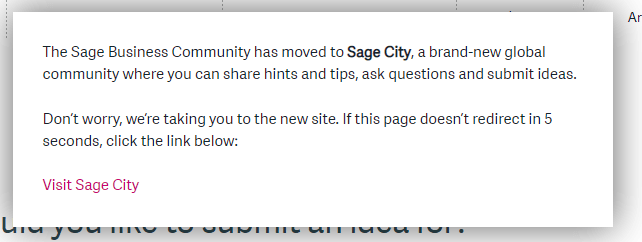
The pop-up that appears if you go through via the old website
The Ideas Hub is now Sage City!
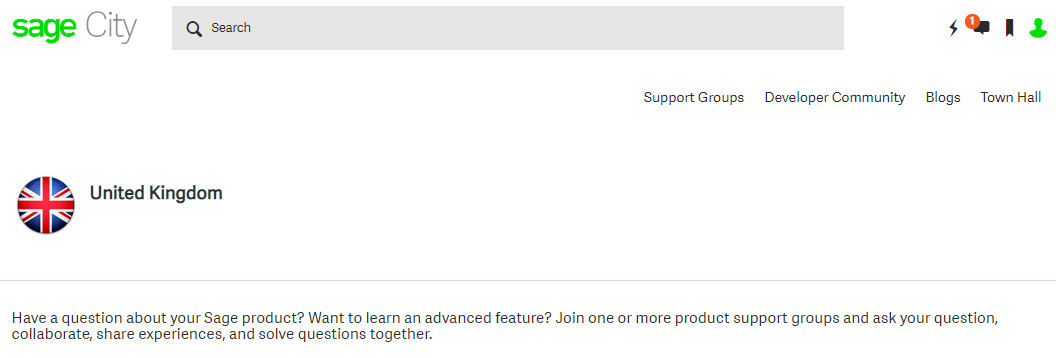
Additional Optional Step
Now you have the new link you can save it to your bookmarks, for future ease of access. Also, you may need to use your my sage login to be able to submit your idea.

Step 3 – What is your Idea for?
Now you are in the Sage City (formerly idea hub)
You may need to log into my sage to be able to list your idea into the hub. Once you have you will get a choice from the following selections:
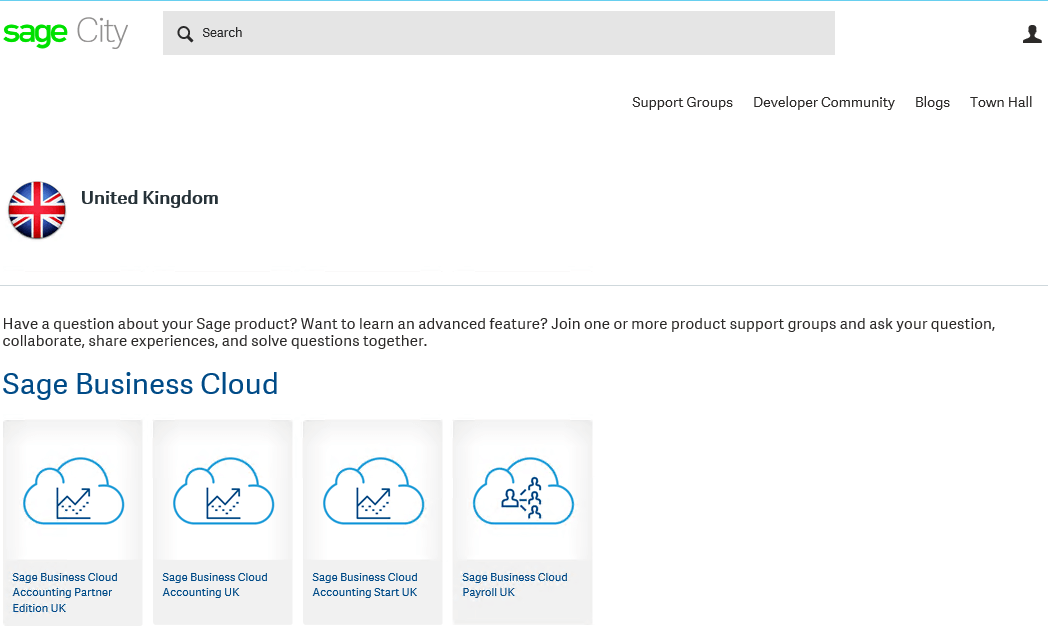
Choose from Sage Business Cloud…

… Or local products …

…Or account products.
When you know which section you want to add your idea to you will need to click into it.
Step 4 – Register the idea
This will bring up the below screen, as you can see the fourth tab in shows as ideas. You will need to click into it to get through to the ideas
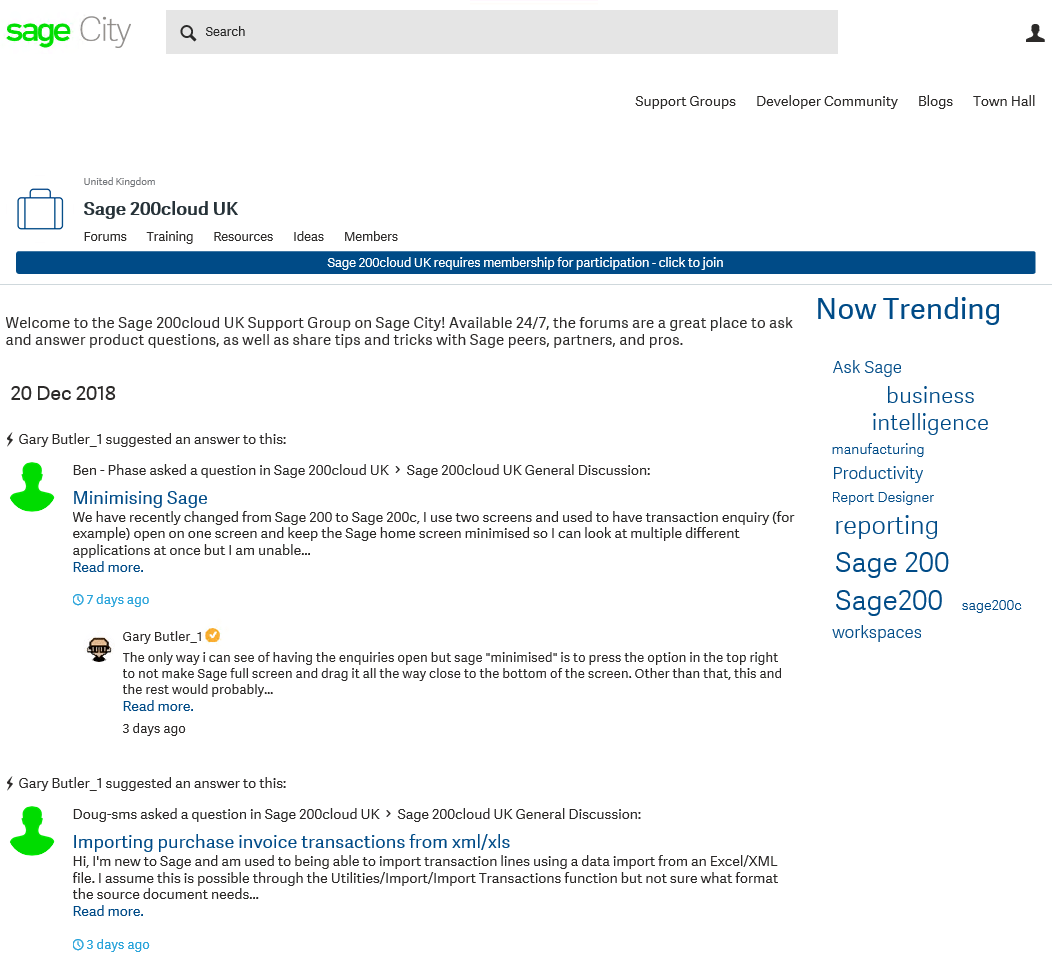
This is where you can find the ideas for the section you have entered. It will look like the below:

As you can see from the blue bar it is asking me to sign in to submit Ideas
Sage Financials Ideas Hub
Step 1 – Find the Link
You will need to log into Sage Financials
Once you have logged in, you will see a bar at the bottom. If you click on help it will pop up with four options.

You will need to click on Knowledge Base. This will give you a pop-up (if pop-ups are blocked you will need to open them up).
Step 2 – Navigating Sage Customer Community
You will now be in the Sage Customer Community. Here you will need to search for ‘Ideas Portal’ and go to articles, and click on the first link.
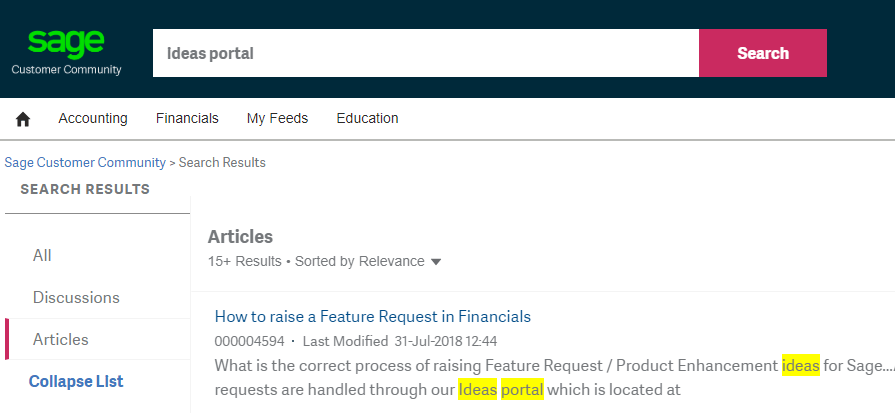
This will take you through to another page on ‘How to raise a Feature Request in Financials’.
Step 3 – Add a new idea
You can now add a new idea as seen highlighted below.
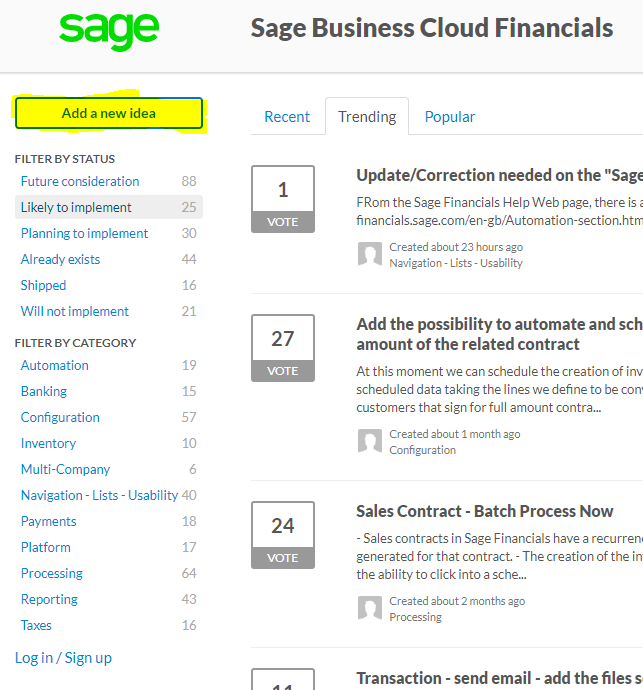
You are now ready to use the Ideas Portal
Other options
If you are looking for further enhancements to your software it may be worth exploring the option of bespoke development and consultancy. We have a team of in-house developers and consultants who specialise in Sage software. Our consultants are experts in making sure you get the very best out of the software you have already have. Whether it is through training, configuration or additional software that could further enhance your experience.
Our development team is responsible for producing applications and bespoke changes to Sage software. With developers in both Sage Financials & Sage 200cloud we are able to connect multiple solutions, improve functionality and make the software work best for you.
Conclusion
Sage Ideas portal is a good idea to allow normal users who access the system every day to offer up what they would like to see implemented or changed. The end users ultimately have the best view of how well the system works and what needs improving. If you are looking for further improvements over and above these tweaks and changes then consultancy or development may be for you. If you would like any more information on anything discussed in this blog, then get in touch with one of the team and we will be happy to chat about how your software can best work for you.


Tom is one of our support heroes you will speak to or reach on email. He is certified in Sage 200 Financials, Commercials & Sage 200cloud Standard products, and a whiz at customizing reports and layouts.
Tom is the office geek, having knowledge in all areas of geekdom and is always the first choice when it comes to pub quiz members. In his spare time, Tom enjoys gaming, quizzes, and running and playing Dungeons & Dragons.
