
It’s that time again…Release 1 of 2023 has come around so quickly and brings with it some great new enhancements for your Sage Intacct instance!
You can find the full release notes by clicking through the link on your home page, as shown below, or you can find the link by clicking here.
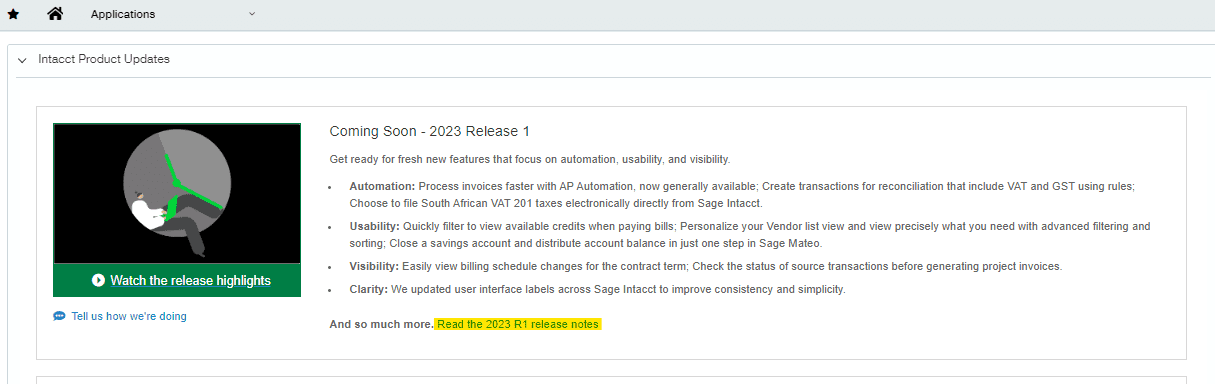
If you are busy and want to see the highlights then say no more…. we have you covered! In this blog, we will cover some of the key changes coming to you from February 17th, and the ones that we find particularly exciting!
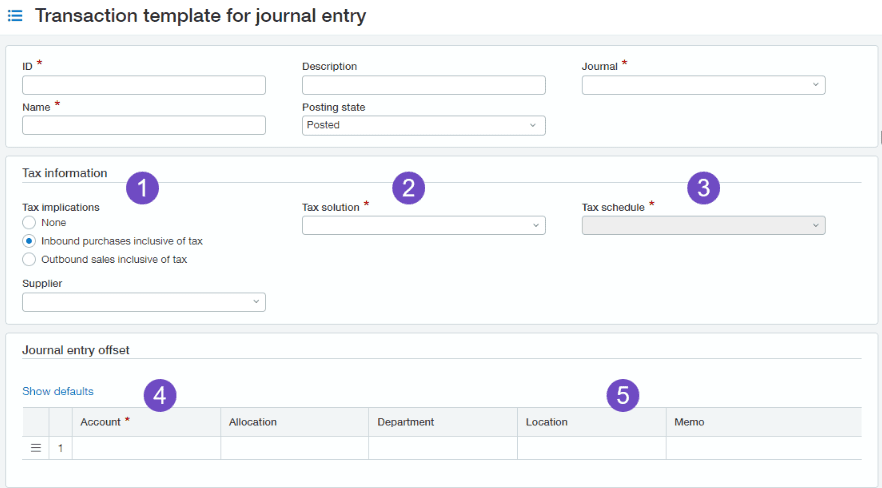
1. Creation Rules now include VAT and GST transactions
In a previous release, Sage brought out the ability to auto-create transactions in Intacct based on incoming bank data from an import file or bank feed but was limited to transactions without tax implications. For VAT or GST-enabled companies, you can now automatically include the tax on journal entries and credit card transactions created using a creation rule.
2. Apply Credits Usability in Pay AP Invoices
The latest release will now allow you to use a filter on credits when applying to AP Purchase invoices, which will restrict you to show only available credits during a corresponding time frame.
Previously once filtering the invoice due date, you have to evaluate each invoice with all of the available credits individually. This would mean drilling down into each of the line details on the invoice and then the line details on the credit.
Now, after filtering using the same date range for the due date and credits, you can select AP purchase invoices, click Apply credits, and be done.
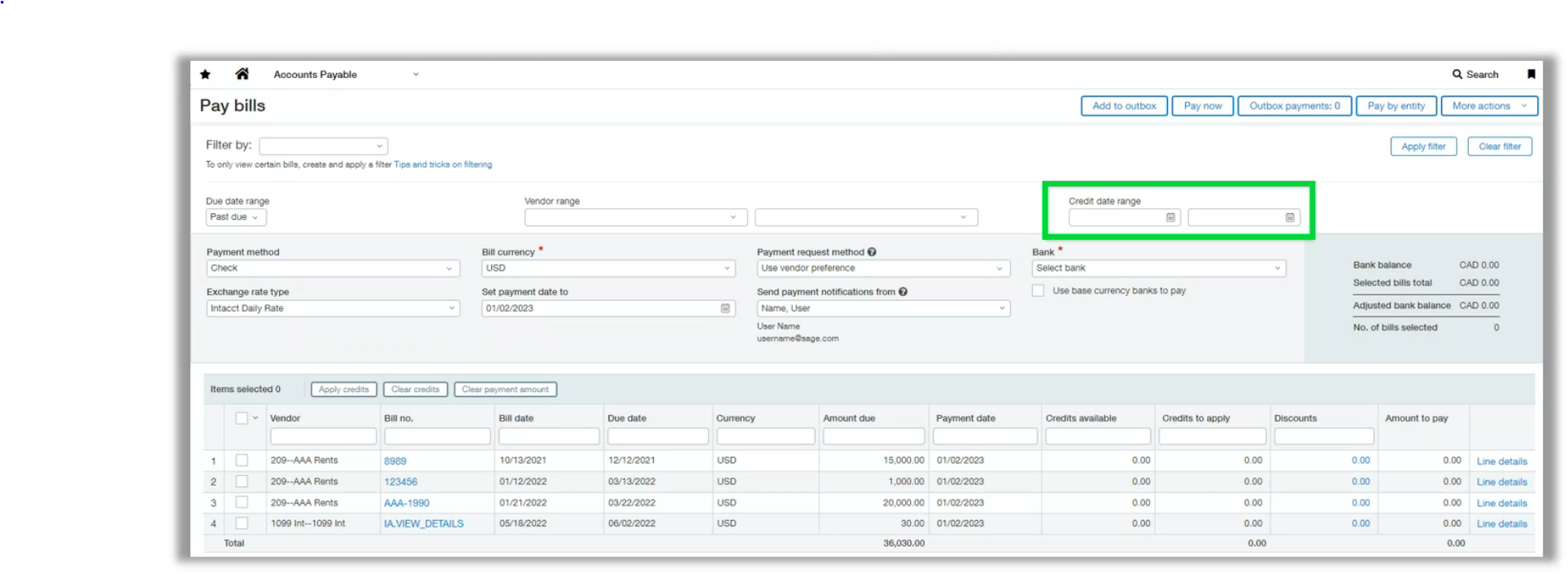
In addition to the new filter, you can now view the credit date when you drill down to credit details, without needing to open the credit transaction.


3. Updated user interface labels across Intacct.
There have been quite a few field labels changed across Intacct, for clarity and consistency. You will notice the following changes to the user interface:
- Labels are now sentence case
For example, “Receive payment” instead of “Receive Payment” - Spelling, punctuation, and grammar are now consistent and correct
- Terminology and formatting are consistent
- Some acronyms and abbreviations are now spelled out for clarity
- The use of symbols and punctuation is reduced for clarity
4. Expanded permissions for project manager users
More flexibility for ‘Project manager’ users, a user with the ‘project manager’ user type can now have the ability to add, edit, and delete Order Entry transactions (Quote and Order template types only).
5. New Permissions Reports
To make it easier for admins to track user permissions and changes two new reports are being made available in the release. The first is to easily see the permissions assigned to all users set up in Sage Intacct, the second is to show the permission changes that have happened to users and who by. If you would like these installed in your Sage Intacct instance, reach out to your account manager and they will be more than happy to get the reports installed for you!
Conclusion
And that’s the first Sage Intacct new release update of 2023! Please feel free to get in touch with us if you need any help with any of the above or if you have any questions.
If you are looking for help with Sage Intacct we offer a library of Sage Intacct help guides that are growing weekly, available for free. If you’re not a current customer of ours, we’re a multi-award-winning Sage Intacct Partner that offers services for existing Sage Intacct users (even if you’re not with us!) such as Sage Intacct support & Sage Intacct training. Please feel free to get in touch if you need any help or support with your existing Sage Intacct system.
Finally, if you’re just having a nosy at Sage Intacct’s updates and you’re not a Sage Intacct user, you can learn more about its features, benefits, and much more here as well as watch our free on-demand demos!


We are a multi-award-winning, platinum Sage Partner, specialising in Sage 200 Professional, Sage 200 Standard, Sage Intacct and Sage 50 accounting solutions.
At itas, we believe in working in partnership with you to deliver the perfect solution that you want and need. We will design a tailor-made business management solution specifically for you and your business, giving you the freedom to focus on what you do best.
