
Sage 200 WAP Module
Enquire Now
No obligation, free personalised demo
Remove paper, reduce admin and improve efficiency with WAP for Sage 200
WAP for Sage 200 gives your team the ability to enter, access and approve Sage 200 transactions all through a web-based portal. It has a range of modules that give your wider team access to enter information without the need for a full Sage 200 licences. The WAP integration is real-time and gives you a powerful analysis of nominal and project actual costs against budgets and committed costs.

Free Datasheet: Sage 200 WAP Module
Learn more about the WAP module for Sage 200 in our free datasheet, just click the button below to download.

Sage 200 Purchase Requisitions
With Sicon WAP your Purchasing process has never been easier! WAPs Purchase Requisitions function allows staff to create Purchase order entry up to pre-defined limits. After passing through your customisable approval routing, WAP will automatically create the purchase order within Sage 200 as well as allowing you to print orders or email suppliers directly from within WAP.


Sage 200 Purchase Invoices
Sicons WAP Invoice Approval features not only allows you to pull invoices from Sage 200 through a multi-level approval routing, but it also allows for the creation of invoices in WAP that are automatically posted back into Sage 200 upon approval. Invoice Approval is also integrated with Sicon DMS and other document scanning solutions to allow you to see any attached documents on an invoice, as well as giving the approvals the ability to amend invoice lines before approval without having to go into Sage 200 itself or push back to staff to edit manually.
Sage 200 Sales Orders
With direct access to your Sage 200 customers, WAP Sales Orders allows you to raise sales orders directly against your existing customers without the need to ever open Sage 200. Add notes and attached documents to orders from WAP and Pull across any special pricing or ongoing projects for the customer to automatically create accurate sales quotes or sales orders within Sage 200 once submitted and authorised.

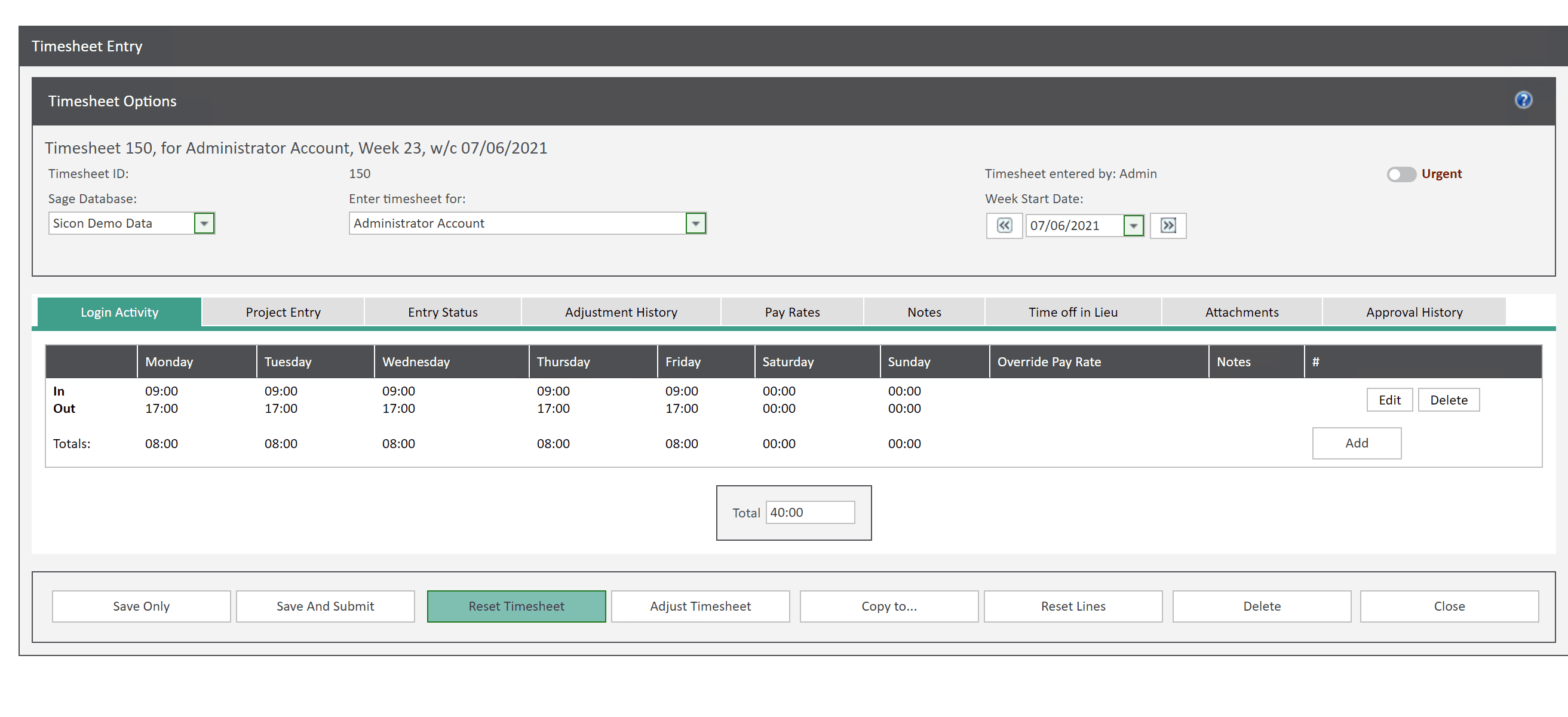
Sage 200 Timesheets
WAP Timesheets gives users the ability to enter timesheets via WAPs web-based interface on PC or mobile device. Have staff submit weekly timesheets that they can review before submission to line managers for approvals. Create flexible work patterns and automatically calculate Time off in lieu, accruals and deductions. Designed to be simple and easy to use so that everyone within the business can easily submit hours.
Sage 200 Expenses
WAP Expenses streamlines expenses processing via a browser or mobile app, with multi-option approval routings based on user, project, nominal codes etc. Expense items are preconfigured per user, making selection choices easy, with max claim values per user and claim location. Attach any supporting documentation to an expense claim and have it posted directly into Sage 200 upon approval. Mileage claims use the integrated Google Maps distance calculator to assist with data entry with additional features for multi-stop journeys, deduct normal work commute miles, return journeys.

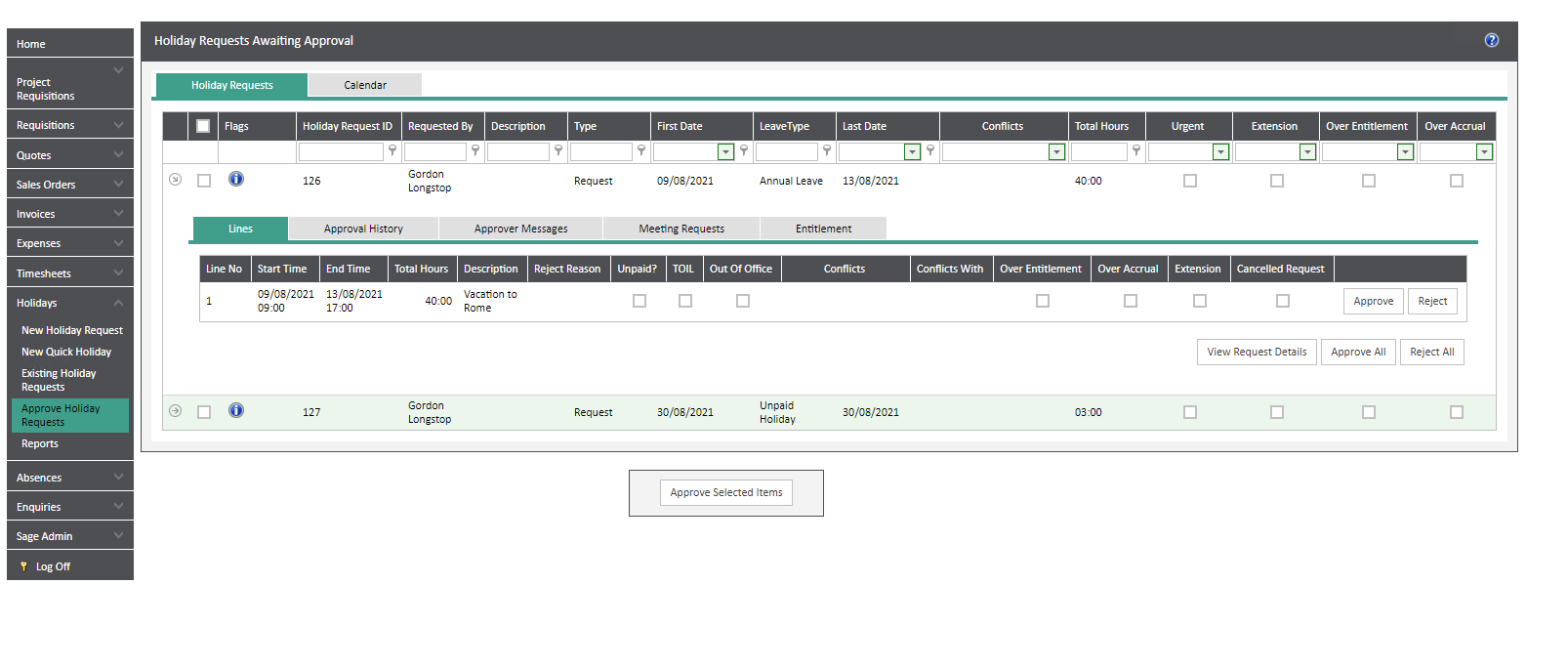
Sage 200 Holidays
WAP Holidays lets users raise holiday requests based on their annual entitlements in a simple calendar view. Configurable structure lets you create rules to stop holiday clashes, so your departments are never understaffed. Automatically creates and allocates bank holidays at the beginning of each new year. WAP Holidays and WAP Timesheets seamlessly work together to ensure that complete timesheets are created and submitted for approved holiday weeks.

Speak to a Specialist about WAP for Sage 200
Fill out the form below to enquire about WAP for Sage 200. Once you've completed the form a Sage 200 specialist will give you a call to talk to you and organise a demo.
Why choose itas as your Sage 200 partner?
At itas, we believe in working in partnership with you to deliver the perfect solution that you want and need for your business. As a multi-award winning Sage Partner, our approach is to help you maximise technology to transform the way you work.
The change to any new platform is a journey, and we will be on that journey with you, every step of the way.

