
PaperLess Document Management for Sage 200 and Sage 50
What is PaperLess for Sage?
Paperless is a document recognition software that uses a type of technology called OCR (Optical Character Recognition.) You can scan, drag and drop or allow Paperless to automatically read documents like Purchase Invoices that you receive and import the information from that document into Sage 200cloud or Sage 50cloud.
Paperless is ideal for anyone who is receiving a large number of Purchase Invoices, particularly if you are also matching these against PO’s within Sage 200cloud. The task of matching a PI against a PO can be time consuming, and leaves itself wide open to human error, take this laborious task out of your accounts teams and allow Paperless to automate the matching for you.

Free On-Demand Webinar: PaperLess Document Management for Sage
Watch our on-demand webinar, where we explore how Paperless can automate your Document Management. This software is ideal for anyone who is receiving a large number of Purchase Invoices, particularly if you are also matching these against PO’s within Sage.
Why should your business go Paperless?
Paperless removes this need for paper versions of your Purchase Invoices (hence the name) and can even automate the whole PO/PI process.
You’ve probably heard of the word Paperless Office being thrown around a lot recently, and for good reason, who wants to have reams of paper lying around the office, one for the cost, two for the GDPR compliance issues this can now cause and three for the absolute pain it is to track down a document in one of 50 binders littered around the office. Of course, we’ve also all been there when the day comes that a document (or documents!) goes a miss, which is great fun.
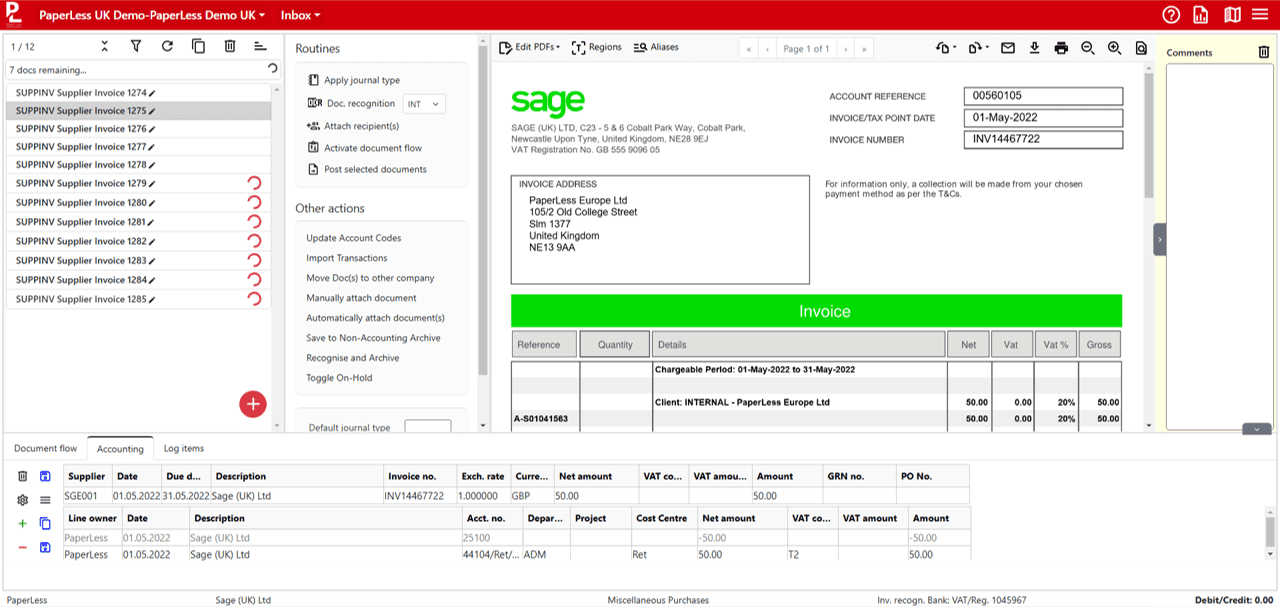
AI Powered OCR for Automation of Invoice Data Capture
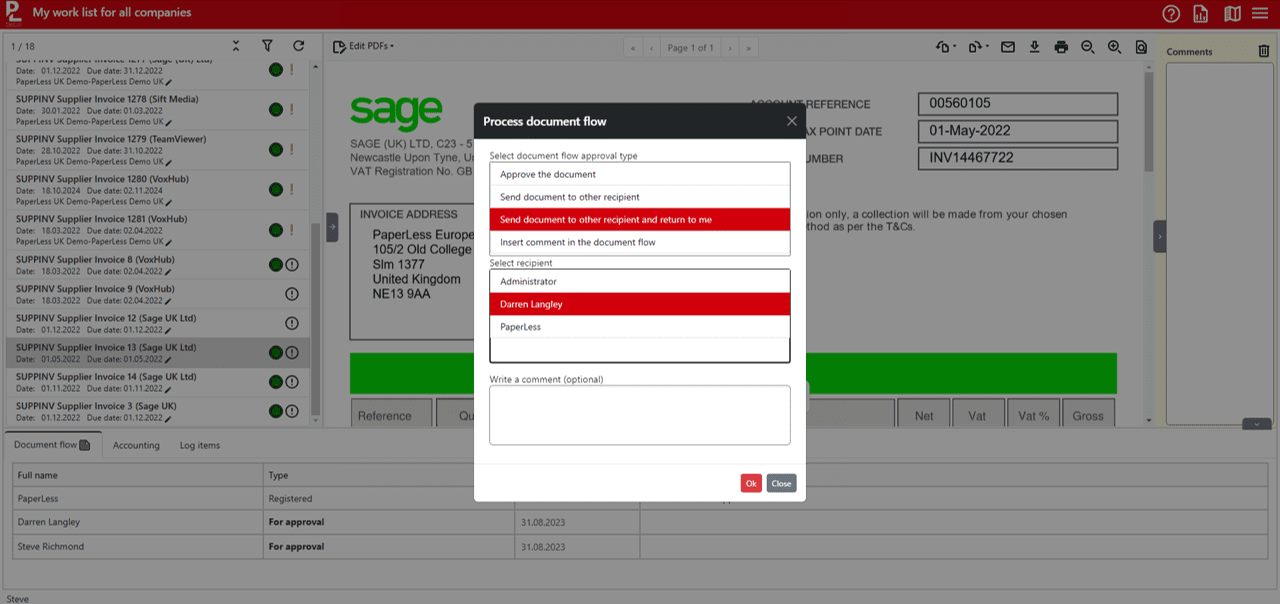
Online Invoice Approval for Sage 50 & Sage 200
Automated Dispute Management for Sage 50 and Sage 200
PaperLess Company Inbox
This feature captures invoices received via email and processes them according to predefined rules. Invoices are automatically recognised, and relevant data is extracted and matched with existing records in Sage.
Sage users using purchase orders can take this automation even further with all invoices received via email automatically processed and matched to the corresponding purchase orders in Sage 50 or Sage 200. If there is a match, PaperLess automatically closes the transactions and posts the invoices into Sage in a fully automated process.
PaperLess PO Matching for Sage 50 & Sage 200
PaperLess Purchase Order Matching allows Sage users to automate invoice processing even further. When an invoice with a purchase order is received, the system automatically checks in Sage if the PO is ready to be invoiced and, if yes, if the invoice amount matches the purchase order amount so that no more time is spent by the accounts team manually matching invoices to purchase orders.

Automated Invoice Archiving with Lookup Directly from Sage
PaperLess PO Requisition for Sage 50 & Sage 200
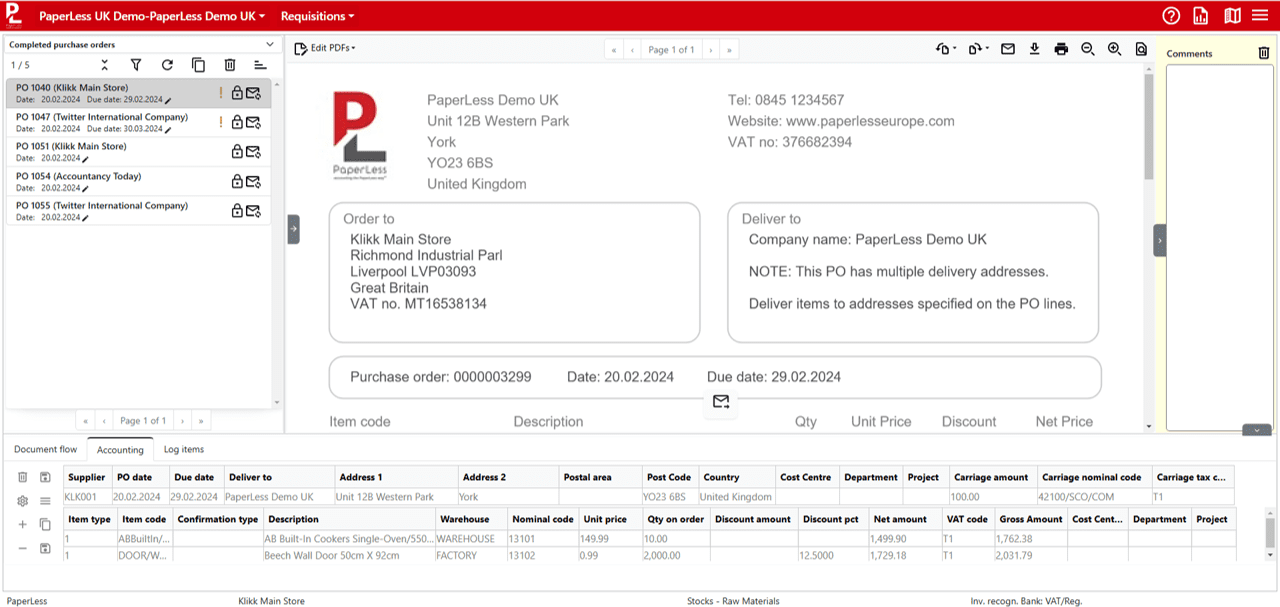

PaperLess Budgeting for Sage 50 & Sage 200
Find out how PaperLess for Sage can help your business
Fill out the form below to speak to a specialist about integrating PaperLess with your Sage 200 system or Sage 50 system.
Why use PaperLess for Sage 200 & Sage 50?
Unlike other OCR software, Paperless can be trained to pick up even the trickiest of invoices sent over from your suppliers with an easy-to-use mapping wizard, ensuring the system picks up as many of the important fields as possible on the invoice. Don’t forget, once you set these mappings up once, they’re there for good! If for whatever reason Paperless cannot pick up the information, users can simply key in the correct info in Paperless and then send this through the system. When searching things like the supplier against the invoice, or a nominal code, Paperless will use the Sage 200 or Sage 50 data that it updates regularly, meaning you're working on the same set of information across both systems.
Once the invoice has been processed into Sage 200 or Sage 50, users will have the ability to easily load up the actual document from within Sage, meaning no more running around looking for paper copies of an invoice printed off several weeks ago.
