With the year drawing to a close, November see’s the final Sage Intacct release of 2026. The release brings a number of exciting new features as well as enhancements to it’s existing functionality.
Release Highlights
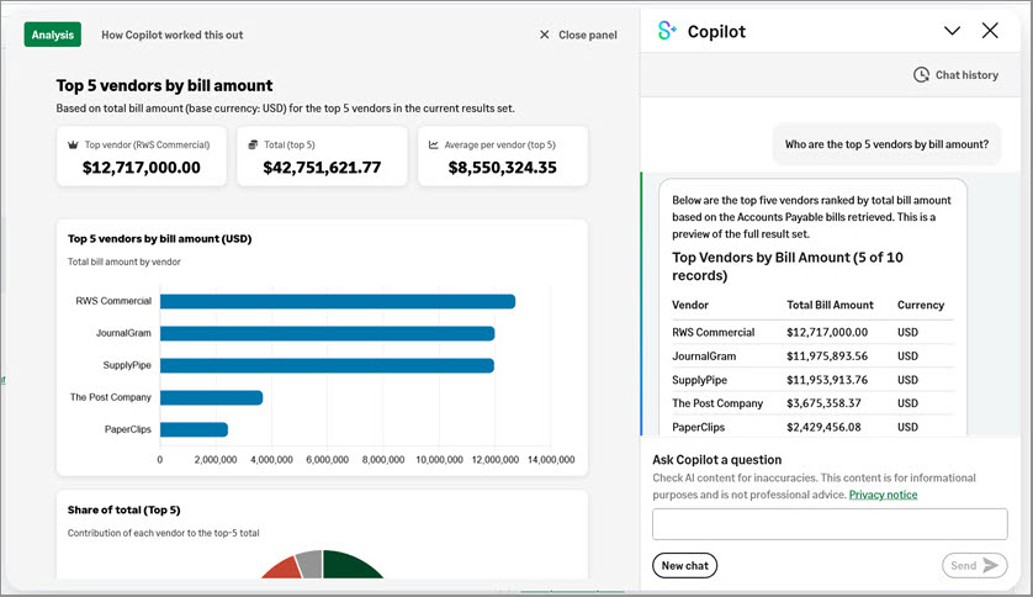
Finance Intelligence Agent – General Availability
Sages AI powered partner that helps find answers and drive better decision making about your financial data. You can ask questions, gain insights and exploring your information all by using natural language.
Key benefits to expect are; comprehensive data retrieval, easier analysis, trend discovery, clear explanations and better decision making.
Accounts Receivable
Use inter-entity bill back with entity transactions
Inter-entity accounting has become more streamlined when your organisation transacts at entity level only. You can now accurately record transactions between two entities, when one entity sells goods or services to another, the receiving entity automatically receives a purchase invoice to process and pay, ensuring both sides record the transaction correctly.
Construction
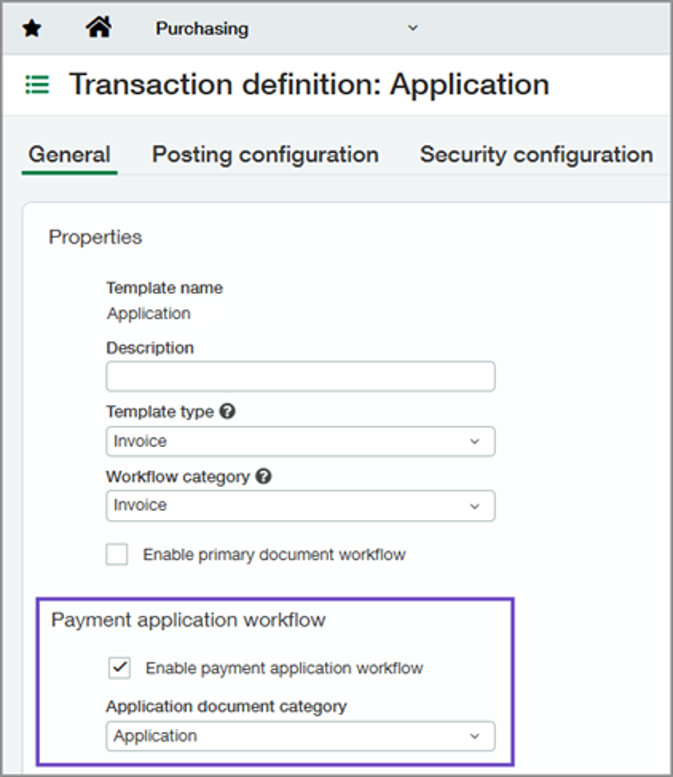
Subcontractor payment application workflow
A new introduction for the Construction Industry now allowing the recording and tracking of payment applications right through to valuation and/or invoice. The workflow simplifies manual workarounds, improves visibility of the whole payment process and reporting accuracy by reducing period-end adjustments maintaining accurate, traceable payment amounts across reporting periods.
WIP project costs at your preferred level of detail
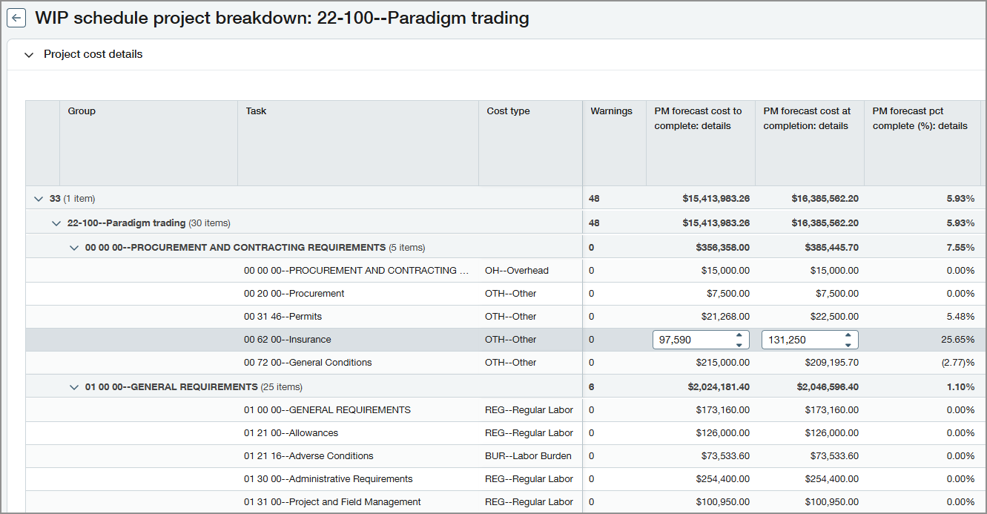
You can now choose the level of detail to use in WIP schedules when viewing project costs and entering PM cost forecasts. By entering and viewing more detail, you can now gain insight in to not just how a project is performing, but drill down in to the reasons why.
This can be configured within the configure projects page, where you choose the level of detail from the current view and not breaking down project costs, to subprojects, tasks or tasks and cost types.
Fixed Assets Management
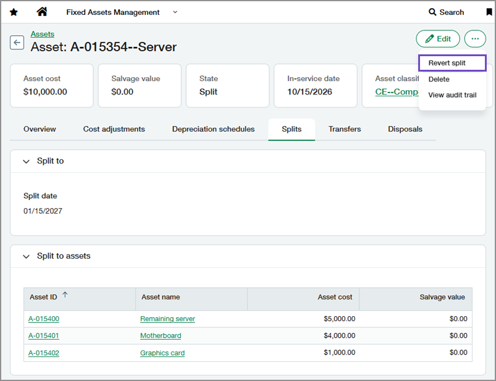
Revert assets splits
No more requirements for manual adjustments or workarounds when assets splits are created by mistake, this can now easily be undone by reverting a split, which restores the asset back to it’s original state.
Key benefits include easy error correction, accurate data restoration and reduced manual effort.
Reverse asset transfers
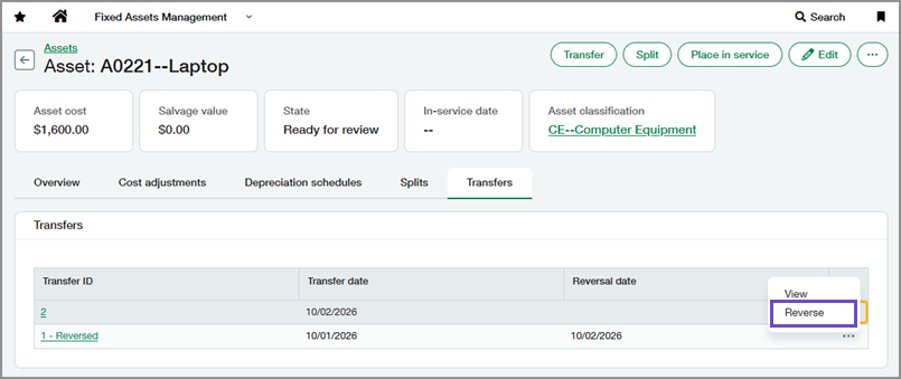
Restore an assets previous dimensions and correct transfer errors. Unlike reverting a transfer, reversing preserves the original transfer record and accounting activity while creating an offsetting journal entry that clearly records the correction.
Key benefits include, correcting errors with confidence, preserve posted accounting activity and reduce manual effort.
General Ledger
Updates to GL account reconciliations
It’s now easier to match transactions confidently and have full visibility into the timing of the reconciliation activity. Key benefits include easier transaction matching, simpler setup and better reporting. So what’s changed?
New columns have been added to transactions list including the customer and supplier associated with the transaction.
Order Entry
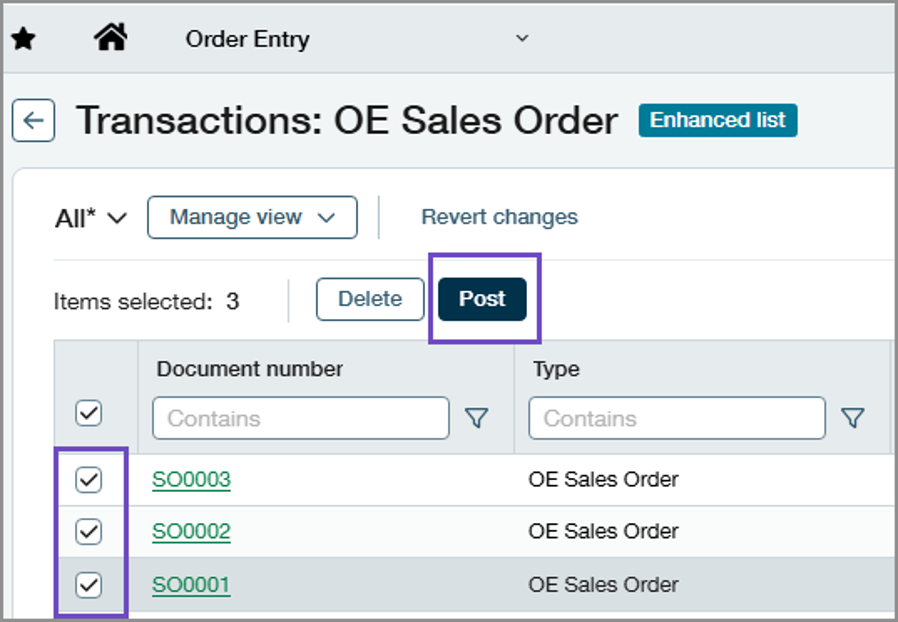
Post multiple draft transactions at once
Post transactions in bulk, saving time and reducing manual effort, when you turn on enhanced lists. You can now update multiple transactions at once instead of posting them all one at a time, particularly helpful as an organisation grows.
Combine multiple documents into a single transaction
You can now simplify your workflow during conversion by combining multiple documents or specific line items, into a single transaction. When you move a transaction through a sales workflow, you convert one document to the next step, as defined in the corresponding Order Entry transaction definition. However, the convert functionality only allows you to convert one full document at a time. Now you can choose to convert one or more sales orders at a time, including specific lines from different orders.
Want to know what R4 could mean for your business?
Speak to your Customer Success Manager for further information, to discuss which features may be relevant to you, or if you have any questions about the latest Sage Intacct enhancements.
If you’re an itas customer, you can also register for our upcoming seminar, Sage Intacct R4 Release 2026, where we’ll explore the latest features, product enhancements, and practical updates designed to help finance teams work smarter, improve visibility, and get even more value from Sage Intacct! You can register your place, here.